
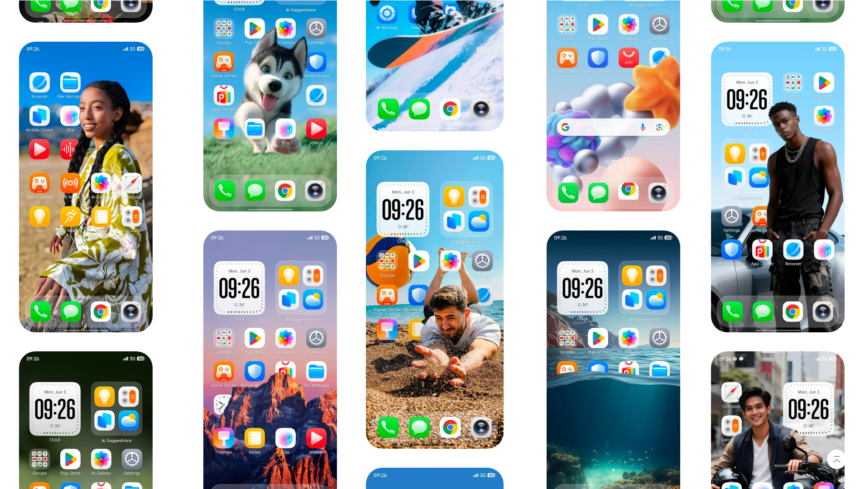
TECNO Mobile has started rollout HiOS 16 Update to supported smartphones during 2026. which is Based on Android 16, the OS introduces a redesigned interface which is inspired from Apple IOS 26, which comes with many features new animation and liquid glass design
- What is HiOS 16?
- Tecno HiOS 16 new features
- 1. New Superfluidity design
- 2. Redesigned Minus One screen
- 3. Upgraded Ella AI assistant
- 4. WhatsApp assistance
- 5. YouTube video summaries
- 6. Translation tools
- 7. More AI tools in one place
- TECNO phones receiving HiOS 16
- What about TECNO Spark, POP, POVA 5 and POVA 6 phones?
- How to check for HiOS 16 on your TECNO phone
- Before installing HiOS 16
- HiOS 16 update not showing? This may be normal
- Phone feels slow after installing HiOS 16
- Battery draining faster after the update
- Apps crashing after HiOS 16
- Should you install HiOS 16?
- Final Thoughts
The rollout is happening in stages, so two people using the same phone model may not receive the update on the same day. Region, device variant and local rollout schedules can affect when the update appears.
If you are waiting for HiOS 16 Update in your tecno mobile, here is what you need to know about the new features, supported devices and when it get in your mobile.
What is HiOS 16?
HiOS 16 is TECNO’s mobile Android 16-based custom Operating System like MIUI for radmi, One Ui for Samsung same HiOS for Tecno Mobile.
TECNO officially presented HiOS 16 at MWC 2026. One of the main changes is a new design approach called Superfluidity, along with a redesigned Minus One screen and an upgraded version of the Ella AI assistant.
It is not simply a visual update. TECNO is also putting more of its productivity, translation and AI tools directly into the system.
Exactly which features you receive can still depend on your phone. Hardware limitations, market availability and software version can make the experience different from one model to another.
Tecno HiOS 16 new features
1. New Superfluidity design
One of the most visible changes in HiOS 16 is TECNO’s new Superfluidity design language.
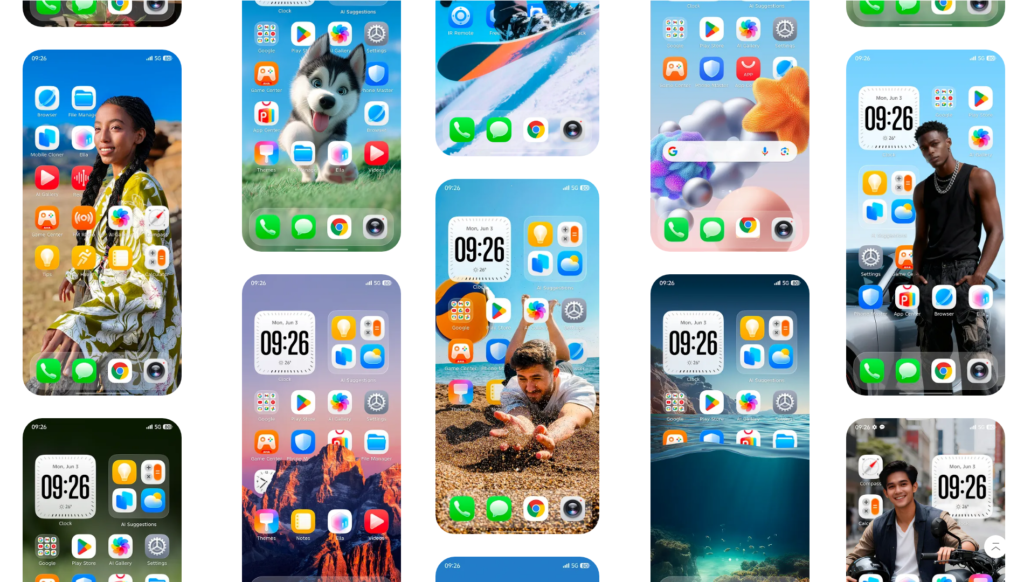
The company is using it to make system movement, transitions and navigation feel more consistent. Rather than completely changing how HiOS works, the redesign focuses on how the interface looks and responds while you move around the phone.
Users coming from an older version of HiOS should notice the difference most in menus, animations and general navigation.
2. Redesigned Minus One screen
The Minus One screen has also been reorganized.
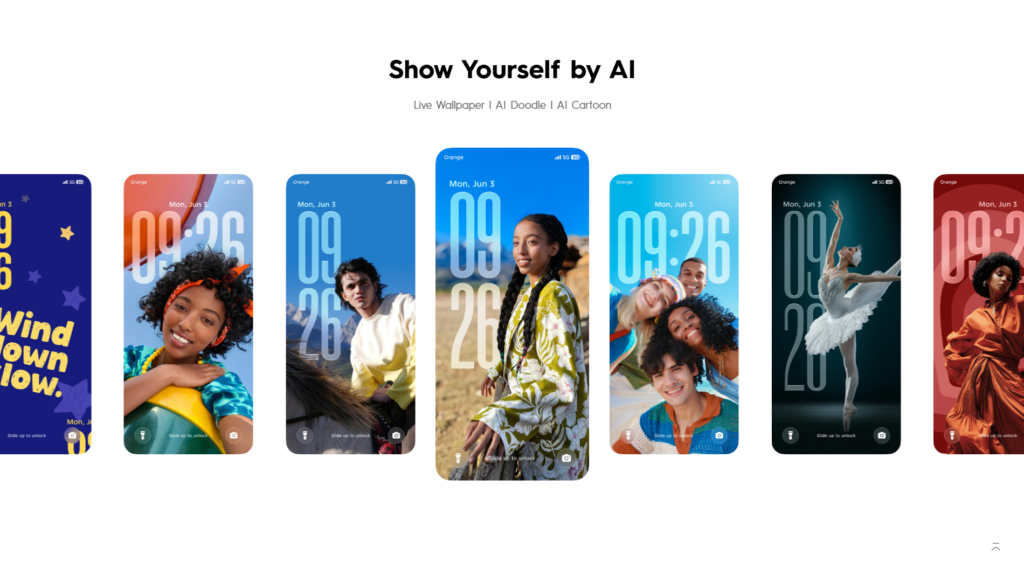
TECNO is using this area to bring together tools that would otherwise be spread across different parts of the phone. It can include productivity features, smart services, translation tools and AI-generated content features.
The idea is fairly simple: swipe to the screen and reach frequently used tools without searching through several apps or settings pages.
The exact options shown here may differ between devices and regions.
3. Upgraded Ella AI assistant
Ella receives one of the larger updates in HiOS 16.
According to TECNO, the assistant has improved contextual understanding and can provide suggestions based on what the user is doing. Some supported functions include help with daily tasks and a Dynamic Island-style interface for certain suggestions and activities.
This does not mean every HiOS 16 phone will necessarily receive every Ella feature. Some AI functions may require latest hardware.
4. WhatsApp assistance
TECNO has also demonstrated deeper Ella integration with WhatsApp.
On supported devices, Ella can assist with reading messages aloud and preparing replies. This could be useful when your hands are occupied or when you want to respond without manually typing everything.
Availability may depend on the phone, language and region.
5. YouTube video summaries
Another HiOS 16-era Ella feature shown by TECNO is YouTube summarization.
Instead of watching an entire video just to find one piece of information, supported devices can use Ella to create a shorter summary of the video’s content.
How well this works will naturally depend on the video, language and availability of the feature on your particular device.
6. Translation tools
Translation is becoming more closely integrated with TECNO’s software as well.
The redesigned Minus One interface includes access to translation features, while TECNO has also been working on broader language support for Ella and its other AI tools.
That may be particularly useful for users who regularly switch between languages while browsing, messaging or working.
7. More AI tools in one place
TECNO is gradually moving its AI features into a more unified experience instead of keeping every tool separate.
The Minus One screen can provide access to AIGC features and productivity tools, while Ella acts as the main assistant for many AI-related functions.
However, it is worth checking what actually appears after updating your phone rather than assuming every feature announced for HiOS 16 will be available on every model.
TECNO phones receiving HiOS 16
TECNO announced a phased HiOS 16 rollout covering selected CAMON, POVA and PHANTOM phones.
The schedule is divided between the second, third and fourth quarters of 2026. Regional availability can differ, so the quarter listed below should be treated as the rollout window rather than an exact installation date.
Q2 2026
The CAMON 40 family was placed in the first rollout group:
- TECNO CAMON 40
- TECNO CAMON 40 Pro
- TECNO CAMON 40 Pro 5G
- TECNO CAMON 40 Premier 5G
Q3 2026
The next group covers CAMON 30 and several POVA devices:
- TECNO CAMON 30
- TECNO CAMON 30 5G
- TECNO CAMON 30 Pro 5G
- TECNO CAMON 30 Premier 5G
- TECNO CAMON 30S
- TECNO CAMON 30S Pro
- TECNO POVA Slim 5G
- TECNO POVA 7 Neo
- TECNO POVA 7
- TECNO POVA 7 5G
- TECNO POVA 7 Ultra 5G
- TECNO POVA Curve 5G
- TECNO POVA 7 5G Pro
Q4 2026
TECNO’s second-generation foldable models are scheduled later in the year:
- TECNO Phantom V Fold2 5G
- TECNO Phantom V Flip2 5G
This is the announced rollout list reported from TECNO’s 2026 schedule. A phone being absent from the list does not automatically tell us what TECNO may do with every future regional release, but it is better not to claim an update for an unlisted device until the company confirms it.
What about TECNO Spark, POP, POVA 5 and POVA 6 phones?
This is where users should be careful with unofficial eligibility lists.
Earlier speculation around HiOS 16 included a much wider range of TECNO devices. However, the announced 2026 rollout currently focuses on the selected CAMON, POVA 7-series and second-generation Phantom foldable devices listed above.
For that reason, I would not treat older lists containing phones such as the Spark 20, Spark 30, POVA 5 or POVA 6 as confirmation.
If TECNO adds another device later, it can be added to this list after an official announcement.
How to check for HiOS 16 on your TECNO phone
You do not need to download HiOS 16 manually from an unknown website.
Use the updater already built into your phone.
- Open the Settings app on your TECNO phone.
- Look for System Update, Software Update, or a similarly named option.
- Open the update page and let the phone search for available software.
- Connect your phone to a stable Wi-Fi network and start the download.
- Once the download finishes, follow the installation instructions shown on the phone.
Your device will normally restart during the process. Do not force a shutdown while the update is being installed.
Before installing HiOS 16
A major system update normally goes smoothly, but a few basic precautions are worth taking.
Back up photos, documents and any other files that would be difficult to replace. Make sure there is enough free storage for the update, and charge the battery before starting.
For a major update, having at least around 50 percent battery is a sensible precaution. Keeping the phone connected to a charger during installation can also be useful if the update package is large.
Use the official OTA updater whenever possible. Random firmware files found on websites, Telegram groups or file-sharing pages may be intended for a different model or region.
Installing the wrong package can cause far more trouble than waiting for the official update.
HiOS 16 update not showing? This may be normal
If your phone is on the supported list but you cannot see HiOS 16 yet, it does not necessarily mean something is wrong.
Software updates are commonly released in batches. One region may receive an update before another, and even users in the same country may see it at different times depending on the exact model or software build.
TECNO’s rollout information also notes that availability can differ by region and device variant.
Check again after some time rather than repeatedly resetting the phone or installing an unofficial package.
Phone feels slow after installing HiOS 16
A phone can occasionally feel busier than usual immediately after a large system update.
Apps may be updating in the background, files may be re-indexed and the operating system may still be finishing post-update tasks.
Start with a normal restart and make sure your apps are updated through the Play Store.
If the problem continues for several days, check storage usage and look for an app consuming unusual amounts of battery or memory.
Battery draining faster after the update
Do not judge battery life from the first few hours after installing a major update.
Background setup and app optimization can temporarily increase power use. Give the phone some normal usage time and then check the battery page in Settings to see which apps are consuming the most power.
If one app suddenly shows unusually high usage, updating or reinstalling that particular app can sometimes solve the problem.
Apps crashing after HiOS 16
Start by updating the affected app.
Older app versions may not behave correctly after an Android version change. If the latest version still crashes, clearing the app cache or reinstalling the app is worth trying.
Be more careful with apps that contain important local data. Make sure anything important is backed up before clearing storage or uninstalling them.
Should you install HiOS 16?
If HiOS 16 arrives through the official updater for your device, it is generally better to use that release instead of manually flashing firmware from an unofficial source.
The update brings TECNO’s new Superfluidity interface, a redesigned Minus One screen and the latest Ella features to supported devices.
What you actually receive will depend on the phone you own. A flagship or newer mid-range model may support features that are unavailable on another device.
So after installing the update, check the features available on your own phone instead of relying entirely on screenshots or feature lists from a different TECNO model.
Final Thoughts
HiOS 16 is now rolling out to supported TECNO phones in 2026.
The CAMON 40 series was included in the Q2 rollout, while selected CAMON 30 and POVA models were scheduled for Q3. The Phantom V Fold2 5G and Phantom V Flip2 5G are expected to receive the update in Q4.
HiOS 16 brings a new look, improved system features, and more Ella AI tools. However, some features may be different depending on your phone model and region.
If your phone supports HiOS 16 but the update is not showing yet, there is no need to worry. Updates are usually released in stages, so some users may receive them earlier than others.
Hi, this is a comment.
To get started with moderating, editing, and deleting comments, please visit the Comments screen in the dashboard.
Commenter avatars come from Gravatar.